How do JavaScript websites run on browsers?
Apr 15, 2026
·15 min read
This article goes over JavaScript, why it was created, which languages inspired it, how websites run and finally, how JavaScript runs on a browser.
Origins of JavaScript
Back in 1994, the choice for web browsers was very limited. The first browser, 'WorldWideWeb' was created in 1990, but was quickly replaced by 'Mosaic', created in 1993. Marc Andreessen, the leader behind the Mosaic browser, quit his job to create his own company, and his own browser called Netscape Navigator.
Around 1995, Brendan Eich joined Netscape. It was realized that websites needed to become catchier and host multimedia content to attract more people and well, make more money. This required some sort of common language that could be used to make websites interactive. Java (named after the popular coffee), created by Sun Microsystems was the hot new language in the market. It was however, much too complicated to understand for the masses. The goal was to help even non-programmers create their own websites, but also not to make it "not too big for its britches", ensuring it couldn't overtake Java's popularity.
Eich had initially expected that he would be integrating an existing language within the browser. However, he was tasked with creating a completely new language. This led to the birth of Mocha, or now popularly known as JavaScript. Eich also noted hating the name JavaScript, calling it a "big fat marketing scam".
So, what is JavaScript?
JavaScript is a popular language created by Brendan Eich, now CEO of Brave Browser and co-founder of the Mozilla Corporation. It is a versatile language, that can be used both client-side and server-side, on computers, and mobile phones. The language had to be lightweight, and couldn't use Java's object-oriented syntax. Instead, it implements a prototype-based approach (from the Self language), wherein objects are created from other objects, as opposed to being created by class blueprints.
The basic syntax was inspired by Java and C, adopting curly braces and semicolons. The language combined some object-oriented principles along with first-order functions. It also contained features to support beginners, such as automatic type coercion and a much more lenient parsing.
Earlier, it was primarily used for implementing annoying ads and popups. Now, JavaScript powers 98.9% of the internet's websites, forming a foundation for frameworks such as React, that facilitate creation of beautiful, dynamic, and animated websites.
Most of the websites feature HTML, CSS and JavaScript files for the frontend.
Where do these JavaScript files come from?
When you connect to the internet and type an address or query (such as www.google.com), your query is sent to a
far away server. It goes through something called the domain name system, to find an IP address associated with the typed query.
Once the IP address is found, the user is redirected to the server associated with that IP address
(remember - IP address is just an identifier for a machine, similar to how a name identifies you!).
Think of it this way, a server has an IP address to identify it. It's very long and hard to remember, it's much easier to call it by a name. For example, if you open your browser and type 142.250.67.78, it'll redirect you to Google, since this is Google's IP!
Google has several IP addresses so based on your location, if this address doesn't work, you can open your terminal or command prompt and type:
ping google.com
you should be able to see Google's IP address associated with your location.
Getting the website
Once the server is found, the client device (your computer/phone) will send a request to the server. If all goes well, the server will send a bunch of HTML, CSS and JavaScript files to your device.
These websites can be rendered in 2 ways:
- Client-side rendering: The server sends mostly empty HTML, CSS and a bundle of JavaScript files. The client will run and build the DOM tree after which the frontend of the website would be visible.
- Server-side rendering: The server will run some backend code, fetch the latest data, generate the complete HTML and send it to the client. The frontend appears instantly.
How does your computer run JavaScript?
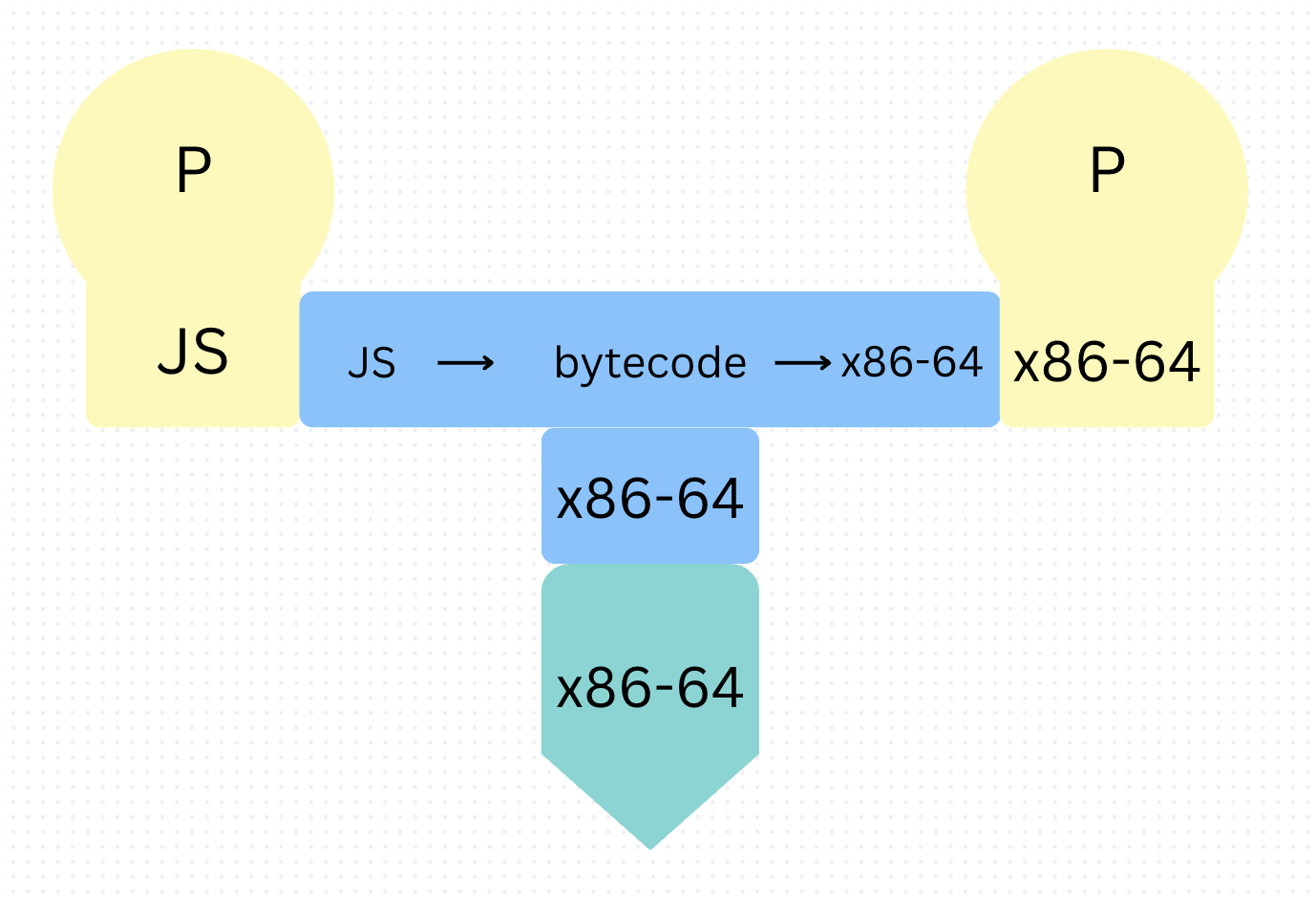
Machines only understand 0's and 1's. And it is a well-known fact that JavaScript runs on browsers. Clearly, a lot of work goes on in the middle to convert JavaScript into something that a machine can understand and execute.
The JavaScript Engine
Every web browser contains a JavaScript Engine. Google uses the V8 JavaScript Engine, Firefox uses the SpiderMonkey Engine, and Safari uses the JavaScriptCore Engine. The engine's job is to run JavaScript. The engine contains an Ignition interpreter and Turbofan compiler.
It begins by parsing the code into an Abstract Syntax Tree, then passes it to another component within the engine, known as the Ignition Interpreter. This interpreter converts JavaScript into bytecode. The engine itself is compiled into machine code so that the CPU can run it. The CPU runs the engine, the engine contains the interpreter, the interpreter will directly run the bytecode without sending it to the CPU. It will also identify which functions run frequently (known as 'hot code') and send these hot code chunks to the TurboFan compiler. The compiler converts this bytecode to machine code. Finally, the machine code can be run by the CPU directly on the client's device.
Renderers
So everything runs, but where's the interface created? Browsers also contain renderers such as the Blink rendering engine, which will draw the pixels that comprise the website on the client's screen.
These renderers will parse the HTML and CSS code to create a DOM tree and CSSOM tree respectively. Both these trees are used to calculate the layout of the website such as position of each pixel, color of pixels, layout of buttons, content etc. The renderer paints elements in layers, sending it to the graphics processing unit (GPU). The GPU finally combines these layers into the frontend that the client sees. Not all websites require this additional, though commonly used step, since some contain simple graphics and content. Websites with more complex animations and dynamic interactions may require a GPU to facilitate the rendering process, loading the frontend faster.